DeskGate Help Center
DeskGate Self-Hosted Employee Monitoring Software
Plan the operation of self-hosted DeskGate employee monitoring, including infrastructure ownership, access, backups, capacity and maintenance.
Self-hosted employee monitoring software places the central monitoring environment within infrastructure managed by your organization. That arrangement changes the practical questions behind a deployment. Alongside deciding which reports are useful, you must decide who maintains the server, how records are protected, what happens when storage fills, and how service will be recovered after a failure. A successful installation is the beginning of those responsibilities. Reliable operation depends on a plan that remains usable when the original installer is unavailable.
DeskGate supports a self-hosted approach to employee activity reporting and computer visibility. This guide focuses on operating that environment throughout its life: preparation, pilot acceptance, capacity planning, access administration, recovery, maintenance, and eventual changes to the deployment. It is intended for the people who own the service and the managers who rely on its reports. The objective is a maintainable system whose records, limitations, and operational responsibilities are understood before an urgent incident tests them.
Define the service you are taking responsibility for
Start by describing the service in terms of its users and dependencies. Employee computers provide the activity that the configured system can collect. Central components receive and manage the information. Authorized reviewers use the management interface to examine relevant records. Those roles depend on functioning devices, suitable connectivity, available storage, and the correct configuration. Treating the deployment as a single installed program can hide a failure elsewhere in that chain.
Write down which infrastructure belongs to the monitoring environment and which infrastructure it depends on. Include the server, database, required application files, management access, and the network paths needed for the intended deployment. Identify the teams responsible for each component. Record the actual installation paths and responsible teams so that the inventory remains useful during maintenance and recovery.
Agree what availability means for your organization. A management page that opens successfully does not prove that recent activity is arriving from every intended computer. Conversely, an unavailable report may result from a narrow permission or filter issue while the underlying service remains operational. Define a short set of acceptance checks covering both the infrastructure and the reports people need. These observations give service owners a common language for discussing whether the deployment is working.
Assign operational ownership before installation
Name a primary service owner and a person who can cover their absence. The service owner coordinates changes and confirms that maintenance, capacity, and recovery tasks have responsible teams. This person does not need unrestricted access to every employee record merely because they coordinate infrastructure. Separate the responsibility to keep the environment working from the authority to review particular content. Document the distinction so that an urgent support request does not silently expand access.
Identify who maintains Windows, who administers SQL Server, who manages network access, and who approves monitoring scope. A small organization may assign several duties to one person, while a larger organization may distribute them across departments. Either arrangement can work if ownership is explicit. Problems arise when a database backup is assumed to belong to the application team while the application team assumes that the infrastructure team already provides it.
Define a practical escalation path. An employee who reports an incorrect device association should know where to raise it. A manager who cannot find records for a particular period should know what information to provide. Technical owners should know who can approve a maintenance window or a change in storage. These arrangements belong in the organization's service documentation; they should not depend on assuming that DeskGate automatically creates or enforces the internal workflow.
Prepare the Windows and SQL environment deliberately
Use the deployment instructions supplied for your DeskGate package and installed release. The customer server environment uses Windows and SQL Server, and the preparation should reflect the supported configuration for that release. Confirm the intended server, installation location, database arrangement, network identity, and available access before running setup. Record these decisions in a protected operational document so that a later administrator can distinguish planned settings from temporary choices made during troubleshooting.
Coordinate network preparation with the administrator responsible for addressing and firewall rules. A stable server address and the correct communication path matter to client connections and management access. Verify the actual endpoint that the deployment will use rather than assuming a successful local browser test proves remote connectivity. Avoid copying port values from another environment without checking the supplied installation guidance and the services already using that host.
Handle credentials through the organization's approved secret management process. Installation notes and connection files can contain sensitive information, so a convenient shared folder is not automatically an appropriate storage location. Give each person the access required for their assigned work and document how authorized recovery access is obtained. Keep ordinary handover notes useful without embedding passwords in them. Infrastructure control is valuable only when the surrounding administrative practices are equally deliberate.
Use a pilot as an operational rehearsal
A pilot should test the service under conditions that resemble its intended use. Select a small group of authorized computers with known users and representative working patterns. Include the report types and recording settings that you actually plan to operate. A successful test using only a lightly used workstation may say little about the storage and review demands of a wider deployment. Keep the first scope small enough that every unexpected result can be investigated.
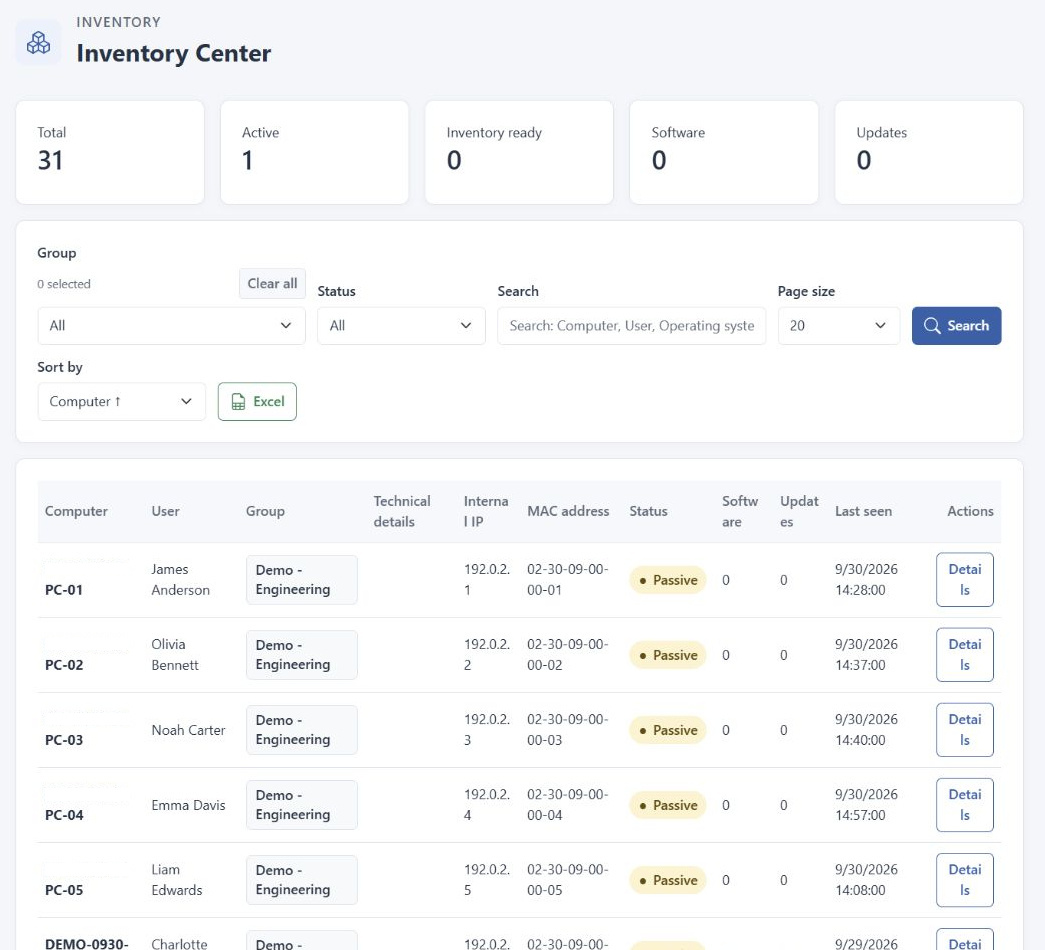
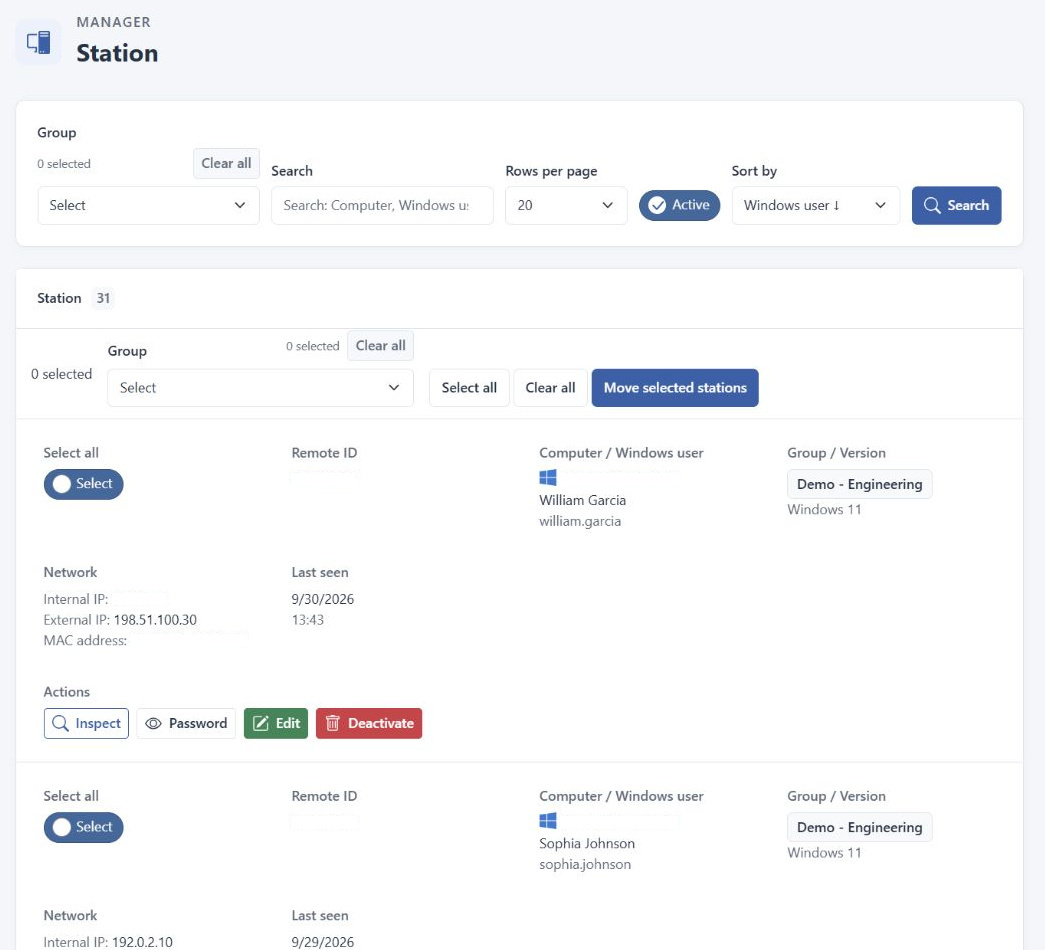
Establish a baseline from known activity. Confirm the station identity, relevant user, group assignment, reporting dates, and visible records. In Work Analysis, check that the selected people and period lead to understandable application and website usage. If screen recording is within the approved scope, verify that the system has received a relevant recording and that an authorized reviewer can find and open it. A recording created after the pilot begins cannot establish what happened before collection was enabled.
Test an ordinary maintenance handover during the pilot. Ask a second authorized operator to locate the deployment documentation, identify the service owners, and repeat the agreed acceptance checks. This exposes gaps that the original installer may overlook because they remember every decision. Record unresolved issues before expansion. The pilot is complete when the organization can operate and explain the service, not merely when the first computer appears in a list.
Estimate capacity from observed collection patterns
Capacity planning starts with what you intend to retain. Application usage reports and screen recording files create different operational demands. Device count is relevant, but it does not describe the whole workload. Collection settings, work patterns, retained history, report queries, and concurrent review all influence the environment. Avoid a universal storage figure that has not been validated against your own configuration. Measure the pilot and keep the assumptions visible when estimating a larger rollout.
Observe growth over a meaningful interval rather than using a single quiet day. Record the approximate increase in the relevant storage locations and note whether recording settings or device scope changed during that period. Ask the infrastructure owner to review free space and expected growth together. A large amount of free space today can still require action if the collection rate has increased substantially since the last review.
Consider reporting workload as well as storage. A broad historical query requested by several reviewers can behave differently from one user's daily check. Include representative reports in acceptance testing and note conditions that make them slower. Where expansion requires more resources, agree the change through normal infrastructure management. A capacity plan should explain when to reassess resources and who owns the decision, rather than promising that the existing host will accommodate unlimited growth.
Treat retention as a defined lifecycle
Decide why each category of record needs to remain available and for how long. Retention should connect to the approved operational purpose, the organization's obligations, and the practical ability to manage the information. Keeping every record indefinitely is not a substitute for making that decision. Different information types may have different purposes and storage costs, so avoid assuming that one duration automatically suits reports, recordings, exported documents, and administrative records equally well.
Document how the agreed retention arrangement maps to the controls available in the installed environment. Check the applicable DeskGate guidance and confirm the behavior with a suitable test before relying on it. Do not assume a written policy changes the configuration, or that a configuration change immediately removes every older copy. Exports and backups can follow separate lifecycles that must also be understood by their owners.
Review retention when the deployment changes. Adding a recording category, changing team coverage, or expanding the review purpose can alter both storage needs and the justification for keeping information. Include deletion and exception handling in the operational process. If an authorized investigation requires preserving specific records, have the responsible organizational team define how that exception is managed. Keep this decision separate from ordinary storage troubleshooting and document who can approve it.
Verify access using real responsibilities
Build access around the work each reviewer is expected to perform. An operational manager may need a defined group's reporting period. A technical administrator may need station information to investigate connection problems. A person coordinating infrastructure may not need to open recordings at all. Use DeskGate's available permission and group controls within the deployed configuration, then verify the resulting scope. A role label is less informative than checking which records that role can actually reach.
Review access with a known user and group rather than only with the account used during installation. Administrative access can conceal a configuration problem that affects normal reviewers. Confirm that the intended information is available and that unrelated scope is not exposed through the same workflow. Where the result differs from the agreed access model, resolve the configuration before using the environment for routine reporting.
Keep access reviews connected to personnel and responsibility changes. Team transfers, departures, support coverage, and new management duties can all affect the appropriate scope. Document who approves an adjustment and how its result is checked. Include exported reports in this thinking: a downloaded PDF remains sensitive after it leaves the application. Manage its destination and recipients through the same clear ownership that governs access to the live interface.
Build a coordinated backup plan
A recoverable deployment needs more than a copy of one folder. Identify the database, required application data, configuration, relevant keys or certificates, and the matching application release needed to rebuild the environment. The exact recovery set depends on the installation. Record the actual locations and dependencies rather than copying a generic checklist without verification. The goal is to know which pieces must belong together when restoring a usable service.
Have the database administrator use supported SQL Server backup procedures appropriate to the environment and recovery requirements. Copying active database files as ordinary files is not a replacement for a validated database backup process. Coordinate application files and database recovery points so that the resulting set is consistent for the intended restoration method. These are administrator-run operational tasks; this guide does not assume a one-click DeskGate backup function performs them automatically.
Protect backups against the failure you are trying to recover from. A backup stored only beside the original installation may be lost with the same host or storage problem. Restrict access, define retention, and document how recovery staff obtain the necessary credentials without exposing them in general notes. Record each backup's completion and relevant scope. A successful scheduled task is useful evidence, but it still needs a restoration test to demonstrate recoverability.
Prove restoration in an isolated environment
Plan a restoration exercise before an urgent incident forces one. Use an isolated environment appropriate to the organization's recovery process, and ensure it cannot accidentally operate as an unintended replacement production server. Restore the coordinated recovery set using the approved procedures. Keep the exercise controlled so that testing does not redirect real clients, distribute reports to unintended recipients, or overwrite the working installation.
Verify useful behavior after restoration, not just successful database recovery. Confirm application access, expected configuration, representative station information, and a known reporting period. Where recordings are part of the recovery set, check that the corresponding files and records remain usable. An interface can appear healthy while a required file location or permission is missing. Include these observations in the recovery acceptance criteria.
Measure the effort required and record any assumptions that failed. A missing installation package, unknown credential, or undocumented path can delay recovery even when every backup file is intact. Update the runbook immediately after the exercise, while the cause is clear. Decide when another test is needed, especially after significant version or infrastructure changes. Restoration is an operational capability that must remain current with the deployment it is supposed to recover.
Plan maintenance around observable checks
Create a maintenance procedure that states the change, expected interruption, responsible operator, and recovery route. Before an upgrade or significant infrastructure adjustment, confirm the current version and the backups required by the approved process. Consult the instructions for the actual installed and target releases. Avoid assuming that a procedure used for a different deployment remains valid merely because the interfaces look similar.
Choose a maintenance window that reflects the computers and reviewers affected. Communicate what users should expect and where issues should be reported. Record the start and completion of the work, including deviations from the planned steps. If the change affects connectivity, credentials, storage locations, or access, include the corresponding owner in the checks. Separating technical responsibility from the communication task prevents one from being forgotten while the other demands attention.
After maintenance, repeat the acceptance checks established during the pilot. Check the interface, a known station, relevant group scope, and representative reports. Confirm that new activity can be observed for an appropriate test interval instead of relying entirely on older records. Preserve the result in the change record. A completed installation process does not establish that every dependency still works as intended; the operational checks close that gap.
Investigate missing data through the full path
When a report appears incomplete, begin with the question and filters. Confirm the user, group, date range, and relevant access. Check whether the selected record represents the intended computer and whether the working period falls inside the collection scope. A missing result can come from a selection error, a device association change, or an access boundary. It should not immediately be described as a server outage or evidence of employee inactivity.
Move outward from the affected scope. If one station is involved, compare its last-seen information and relevant identity details with the expected device. If several groups are affected, examine shared infrastructure and recent changes through the responsible administrators. Keep observations separate from guesses. The time the issue was noticed may differ from the time it began, so record both where they can be established.
Provide support with a narrow, useful description: affected scope, expected behavior, actual result, relevant dates, installed version, and checks already completed. Use the organization's protected support process for information that includes user records or configuration. Avoid forwarding broad exports merely because they are easy to obtain. A precise case helps distinguish collection, storage, access, and reporting issues without exposing more information than the investigation requires.
Reassess the environment as it grows
Expansion should repeat the reasoning used in the pilot. Before adding another team or collection type, review storage growth, reporting performance, permissions, and operational support capacity. Confirm who will interpret the new records and whether the existing retention arrangements remain appropriate. Growth can change the service even when the application version stays the same, so include it in normal change management rather than treating it as a harmless administrative detail.
Keep an up-to-date service record that another authorized administrator can use. Include component ownership, approved configuration references, maintenance history, recovery instructions, and open issues. Review it during handover and after significant changes. Remove obsolete instructions that could cause an operator to use a retired path or address. Useful documentation reflects the current deployment while preserving the context needed to understand historical decisions.
Self-hosted employee monitoring gives an organization direct responsibility for its monitoring environment. DeskGate provides the reporting and computer visibility tools, while dependable operation requires the surrounding infrastructure practices described here. Start with a defined service, prove it through a representative pilot, and keep recovery and access arrangements current. This approach makes the deployment easier to maintain and helps the people using its reports understand what the available information can reliably support.