Define the pilot
Choose representative devices, groups and networks.
Prove the workflow
Validate access, collection, reports and recovery preparations.
Expand in waves
Review each wave before adding the next group.
Define success before installation
This guide begins where a deployment plan becomes an operational pilot. It does not replace the server or Agent installation instructions. Name the rollout owner, technical administrator, authorized reviewer and support contact.
Write down the business question, required features and permitted collection scope. Define what counts as success: the intended device connects, its group rule is correct, the reviewer sees only the approved scope and a known test record appears in the expected report. Document communication and authorization arrangements before collection starts.
Choose representative pilot devices
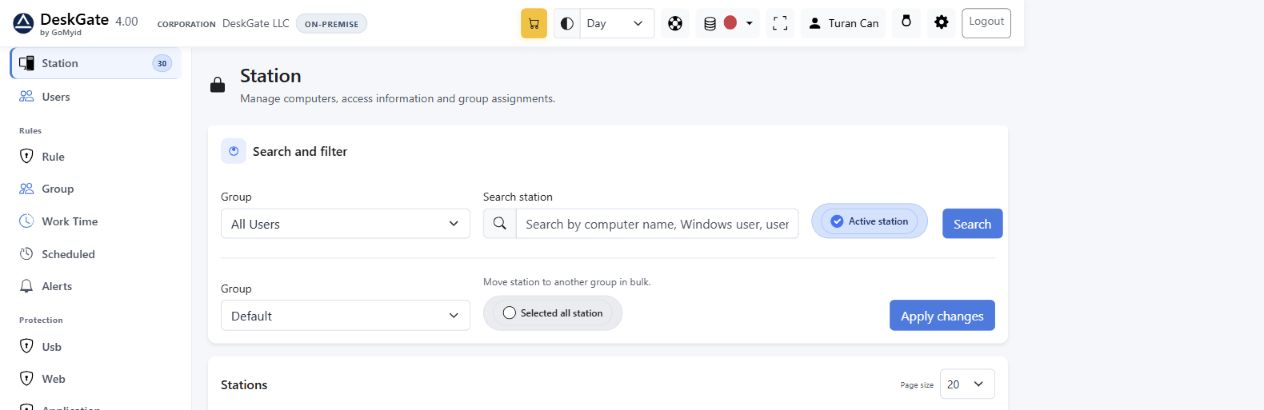 Actual DeskGate interface with demonstration data. The example values are not customer results or deployment benchmarks. Open the image at its original size.
Include the device types and network paths that matter to the rollout, such as an office device and an approved remote or branch device. A pilot on one convenient local computer does not prove that every network path works.
Record the package version, deployment model, group and responsible owner. Start with the correct organization-specific Agent and complete the first-device verification checklist. Do not move to a wider wave while a required check remains unresolved.
Make permissions and group rules part of acceptance
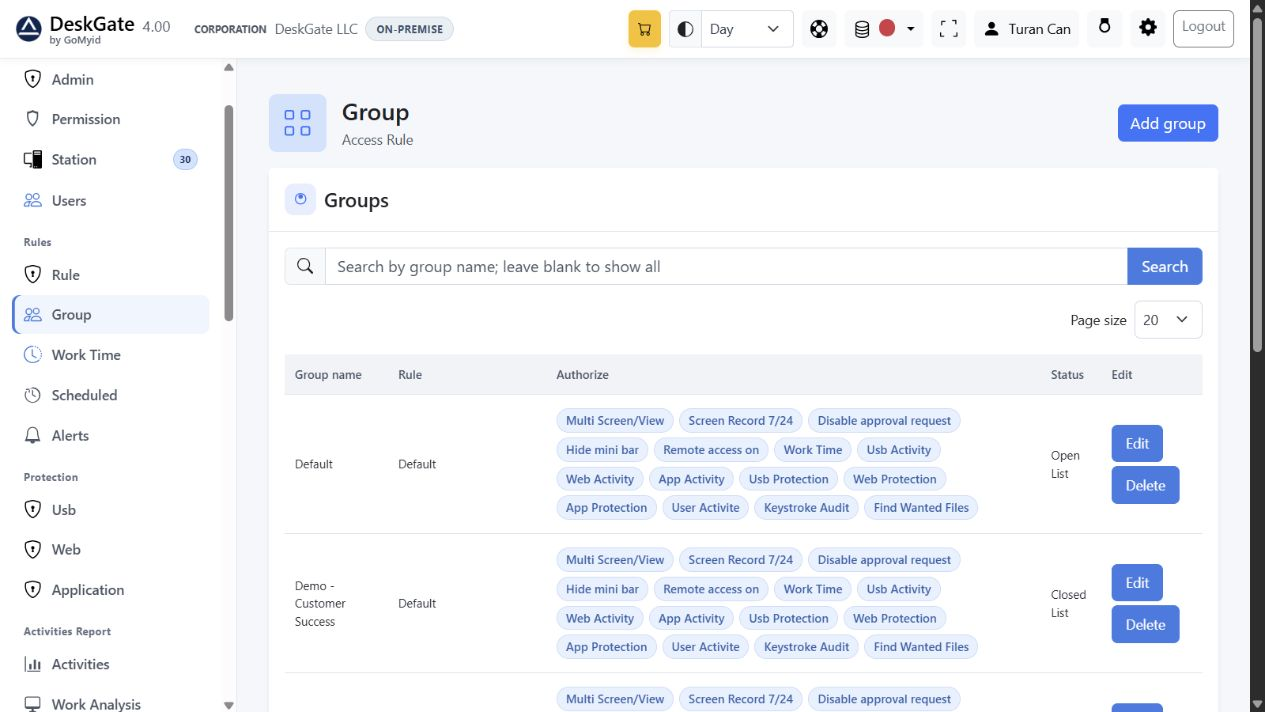 Actual DeskGate interface with demonstration data. The example values are not customer results or deployment benchmarks. Open the image at its original size.
Validate the group assignment before enabling broader collection. Have the intended reviewer sign in and check both allowed and restricted pages and groups. A successful administrator login alone is not a permissions test.
Compare the pilot rule with the proposed production rule. If multiple groups share a rule, review the full scope before editing it. Use the permissions and group-rule guide for the operational steps.
Validate reporting and operating capacity
- Perform one agreed test activity during the configured collection period.
- Choose the report that matches the question and verify the device, people and dates.
- Inspect an exported result before configuring recurring delivery.
- Observe storage growth and reporting behavior during representative use.
- Confirm backup ownership and the recovery procedure for self-hosted infrastructure.
Use the report selection guide, storage planning and backup preparation. Pilot measurements describe that environment; they are not a capacity guarantee for every device count or capture setting.
Expand with a clear pause condition
Choose a wave size that your team can support and verify. For each wave, record the intended device count, package, group, owner, start time and acceptance outcome. Recheck representative devices instead of relying only on an installer completion message.
Pause the next wave if devices are assigned to the wrong group, permissions expose unintended scope, expected records remain absent, capacity is insufficient or failures cannot be explained. Preserve the error and time, resolve the cause and repeat the affected check before continuing.
There is no universal wave size or fixed rollout duration prescribed here. Decide them from pilot evidence, operational coverage and your maintenance window.
Hand over to routine operations
Document the deployed scope, support contacts, report owners, collection settings, retention decisions and maintenance responsibilities. Review schedules and approved recipients before resuming automated delivery.
Keep unresolved exceptions with an owner and next action. Use the diagnostic preparation guide when escalation is needed and the upgrade guide for later maintenance. A completed rollout means the required workflows have been checked, not merely that all installers have run.