DeskGate solution guide
DeskGate Deployment Planning Guide
Prepare a self-hosted DeskGate rollout with a version-specific requirements checklist, measured storage planning, pilot steps and acceptance checks.
 Product illustration. Original interface examples and explanations appear below.
Start with the deployment you need to operate
A self-hosted rollout combines the management application, server services, database, endpoint software and an operational support plan. Before installation, define who owns each component and how devices will reach the services from the office, branches and approved remote locations.
The campaign illustration is conceptual. It does not specify firewall ports, routing, supported scale or a mandatory physical topology. Use the installation instructions for the exact package and version being deployed.
Build a version-specific requirements checklist
Requirements vary with the selected components, number of endpoints, reporting workload and recording policy. Obtain a current compatibility and sizing recommendation for your planned version instead of applying a historical minimum to every deployment.
Information to confirm before installation| Area | Record in the deployment plan |
|---|
| Operating systems | Supported endpoint and server versions for the selected product build. |
|---|
| Application components | Required Windows features, web-hosting runtime and server services for each installed component. |
|---|
| Database | Supported SQL Server version and edition, authentication model, capacity and backup approach. |
|---|
| Network | Approved hostnames, certificates, connection paths and required ports from the version-specific installation documentation. |
|---|
| Capacity | Endpoint count, concurrent work, report workloads, event volume, recording settings and retention. |
|---|
| Operations | Service ownership, update windows, monitoring, recovery objectives and escalation contacts. |
|---|
Size storage around collection and retention
Screen recordings, detailed evidence and ordinary activity records can have very different storage requirements. Measure representative pilot data and separate live database, recording storage, exports and backup copies.
- Estimate daily measured growth for each enabled data category.
- Multiply the measured growth by the proposed retention period.
- Add capacity for indexes, working space, exports and backup copies as appropriate.
- Allow operational headroom and test report performance under the expected load.
This is a sizing method, not a product capacity guarantee. Avoid choosing a fixed disk size solely from the number of employees.
Pilot before a wider rollout
Choose a small representative group covering the devices, departments and network conditions you expect to support. Configure the approved collection policy and authorized reviewer accounts before expanding the rollout.
- Prepare the licensed installation package and confirm the server/database prerequisites.
- Configure the documented service endpoints and only the required network access.
- Install the pilot endpoints and verify that devices appear in administration.
- Check reporting timestamps, group membership, schedules and the intended data collection.
- Test an authorized support workflow, reporting access and an example alert rule.
- Document issues, support ownership and acceptance criteria before deployment to the next group.
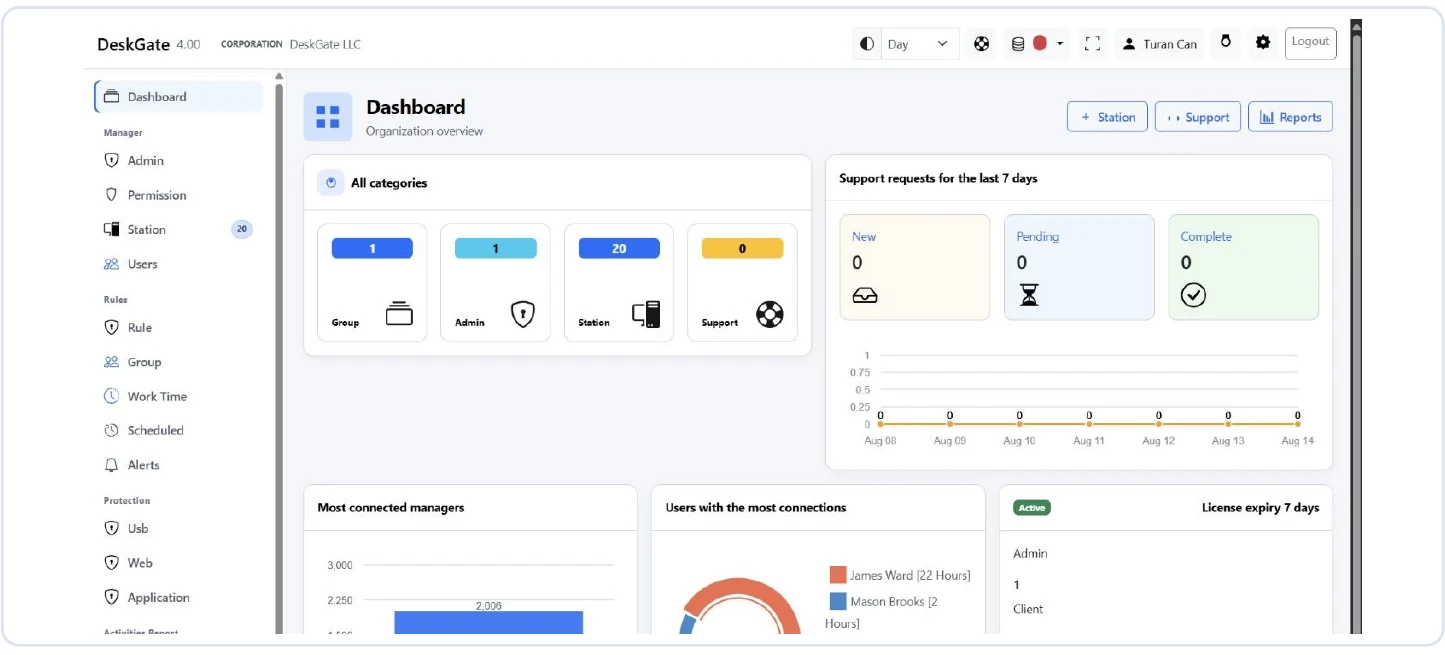 Original DeskGate dashboard used as an operational review starting point. Open the image to inspect the original report.
Define acceptance checks that can be repeated
- Device registration and connection behaviour match the intended deployment.
- Report data appears for the selected users and periods without granting excessive access.
- Required categories and features match the purchased licenses.
- Connection and stored-data protections have been reviewed for the deployed version.
- Backup recovery is tested and operating responsibilities are assigned.
- The team has documented update, incident and offboarding procedures.
Remote command execution, scripts and software installation should be used within the approved administration scope. Test their behaviour on pilot devices before scheduling wider work.
Keep the rollout maintainable
Roll out in manageable groups, track failures and confirm device ownership as you proceed. Recheck report scope and permissions after changes in departments or administrators. Schedule recurring reviews of capacity, retention, backups and alert ownership.
Bring your endpoint count, deployment model, required report categories and retention plan to a DeskGate technical consultation. Those details are more useful for a sizing discussion than a request for a universal minimum specification.
Continue with the security and data protection guide and report walkthrough.
Explore the next part of your evaluation