Limited visibility
Understand how applications and websites fit into daily work.
SELF-HOSTED WORKFORCE VISIBILITY
On Your Own Infrastructure
Understand user activity, application usage and website activity. Manage policies while keeping employee data on your own infrastructure.
Tell us about your team and deployment needs. Our team will follow up to discuss your requirements and arrange a walkthrough of the relevant reports and controls.
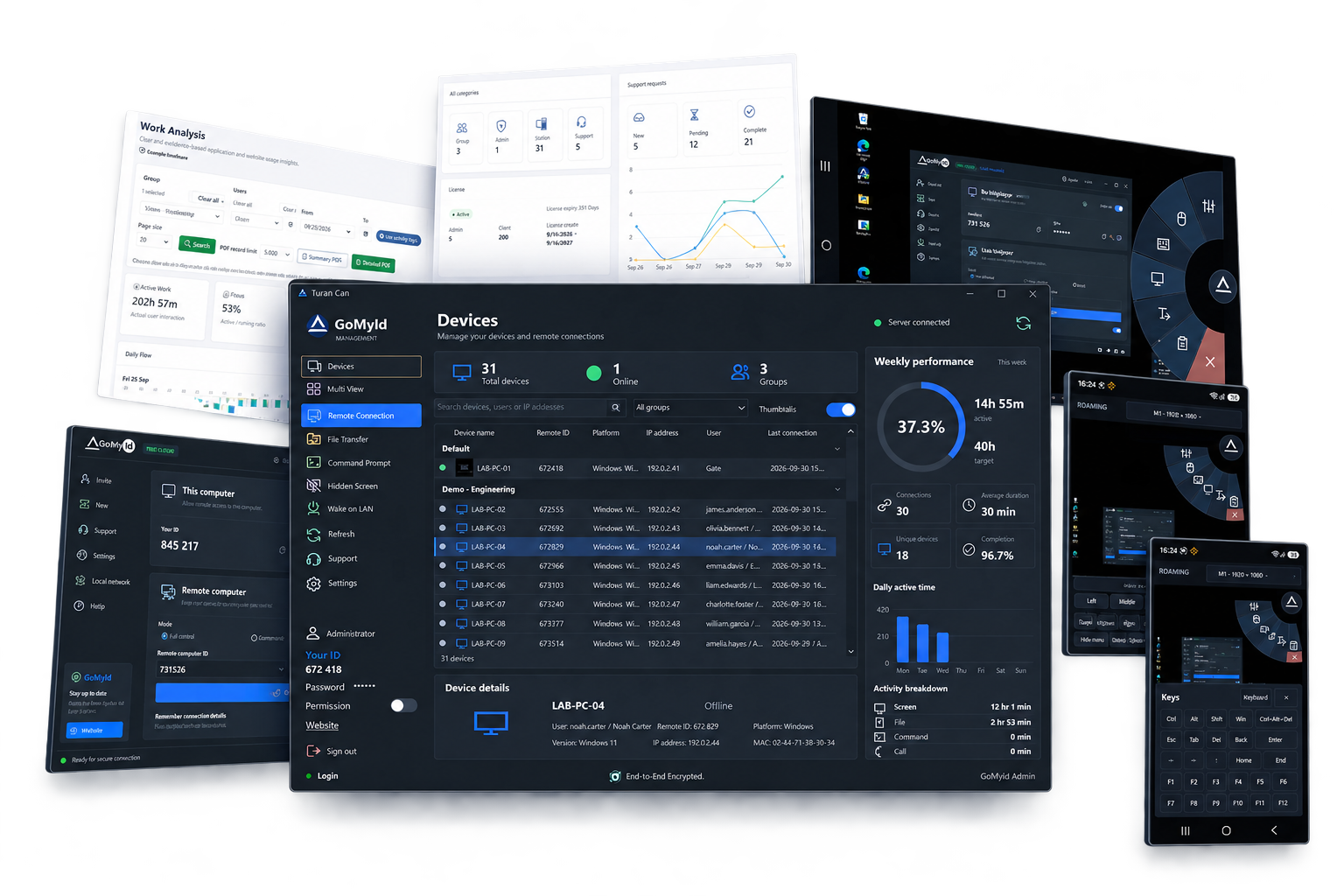
Trusted across industries and operating environments


Answer everyday operational questions with clear activity data.
Understand how applications and websites fit into daily work.
Bring activity information into a central review process.
Apply clear application, website and USB policies.
EMPLOYEE MONITORING FEATURES
Review active and passive periods by user, group and date. Explore daily work patterns in context.
Explore user activity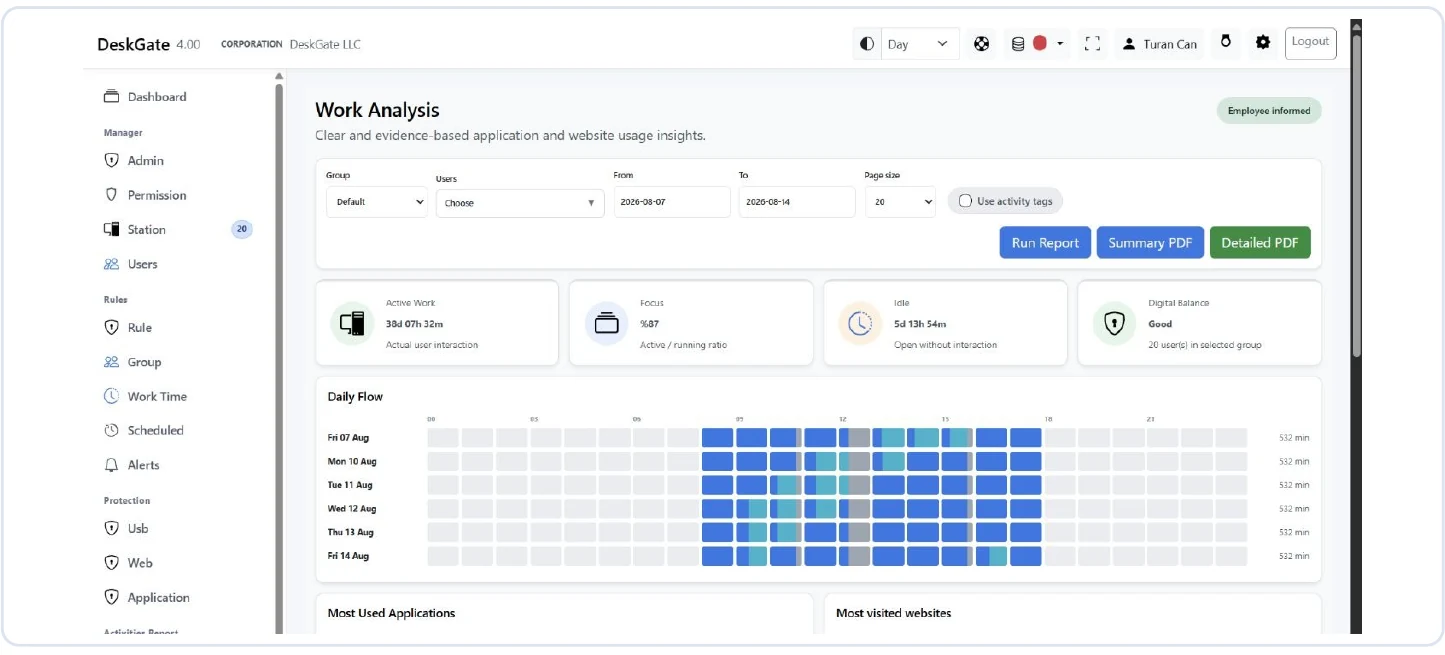
Identify usage patterns and opportunities for better workflows.
Explore usage reportsKeep team policies consistent across managed devices.
Explore policy controlsInterpret activity in context. Idle time alone does not measure productivity.
EXPLORE DESKGATE CAPABILITIES
Explore the full range of monitoring, reporting, endpoint management and support capabilities. Select a category to learn more.
Understand daily work patterns with the context behind the numbers.
Explore employee activity & work analysis →Review current screen activity or revisit a recorded session when you need more context.
Explore live screens & video recording →Bring summaries and detailed reporting into a consistent review process.
Explore reports & operational visibility →Apply access rules that match the responsibilities of each team.
Explore application, web & usb policies →Review detailed endpoint evidence within an authorized investigation scope.
Explore file & endpoint evidence →Connect device information with asset ownership and support planning.
Explore inventory & asset assignments →Organize managed endpoints and align policies with your working structure.
Explore devices, users & working rules →Help users through the remote access mode appropriate to their support task.
Explore remote desktop & mobile access →Connect support work with the operational conditions that need attention.
Explore support & operational follow-up →Coordinate software rollout tasks and connect supported user-mapping workflows.
Explore deployment and integration →Review security events and administrative access with clear accountability.
Operate your deployment and workspace settings on infrastructure you control.
Explore self-hosted workspace →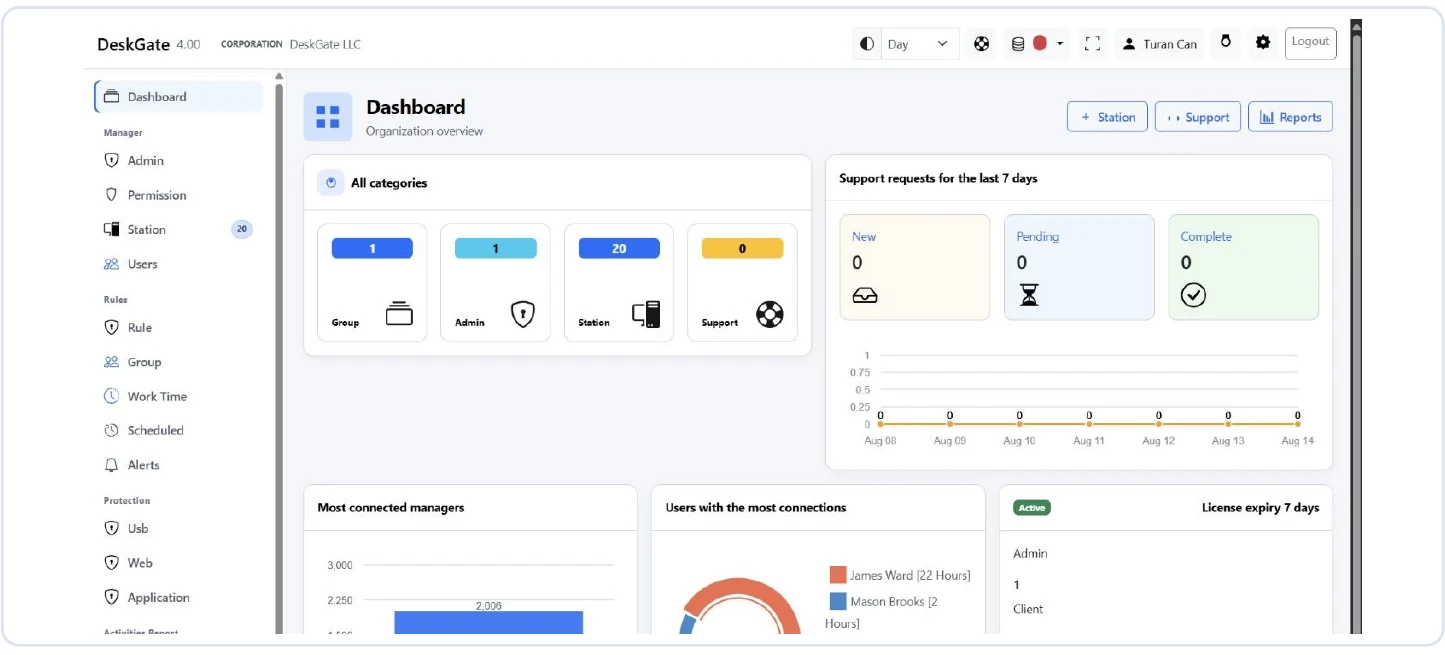
Review device totals, support demand and connection trends in an organization-wide overview.
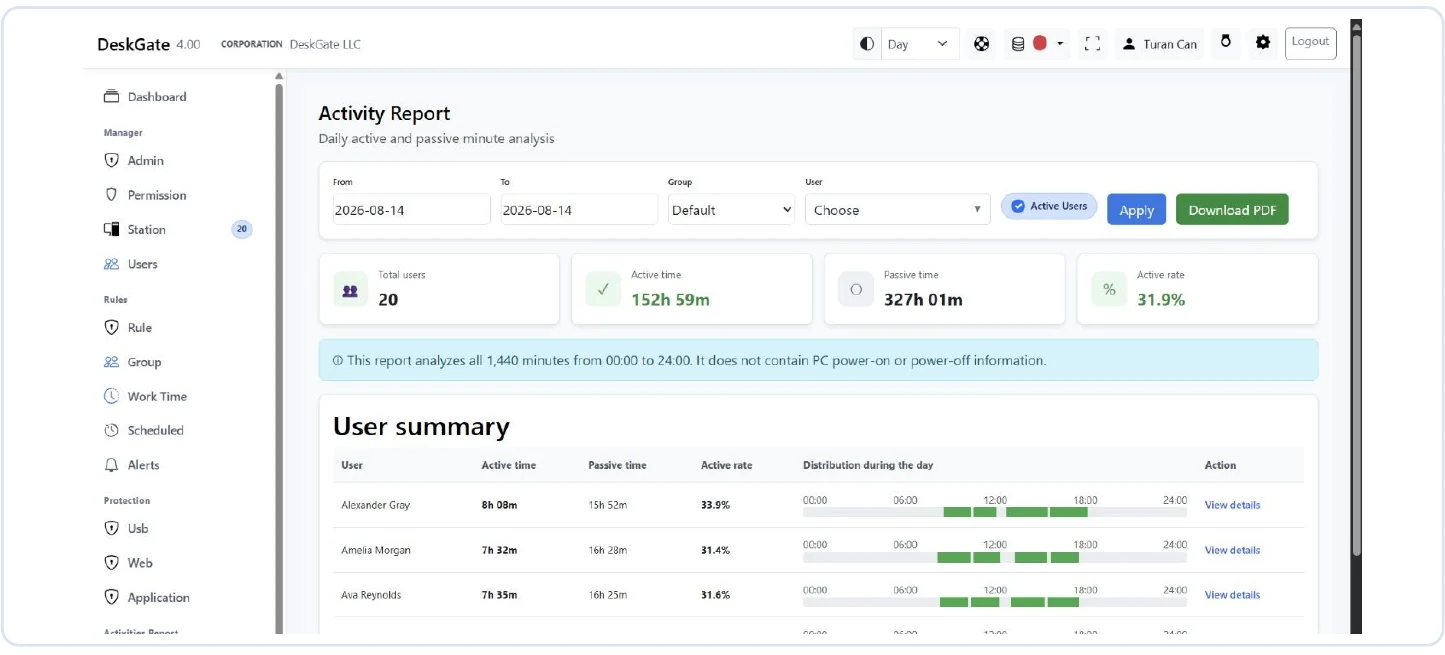
Explore daily activity reports and management summaries to understand how applications, websites and working time are used.
Compare application and website usage, full recorded URLs and categorized activity; maintain readable application names.
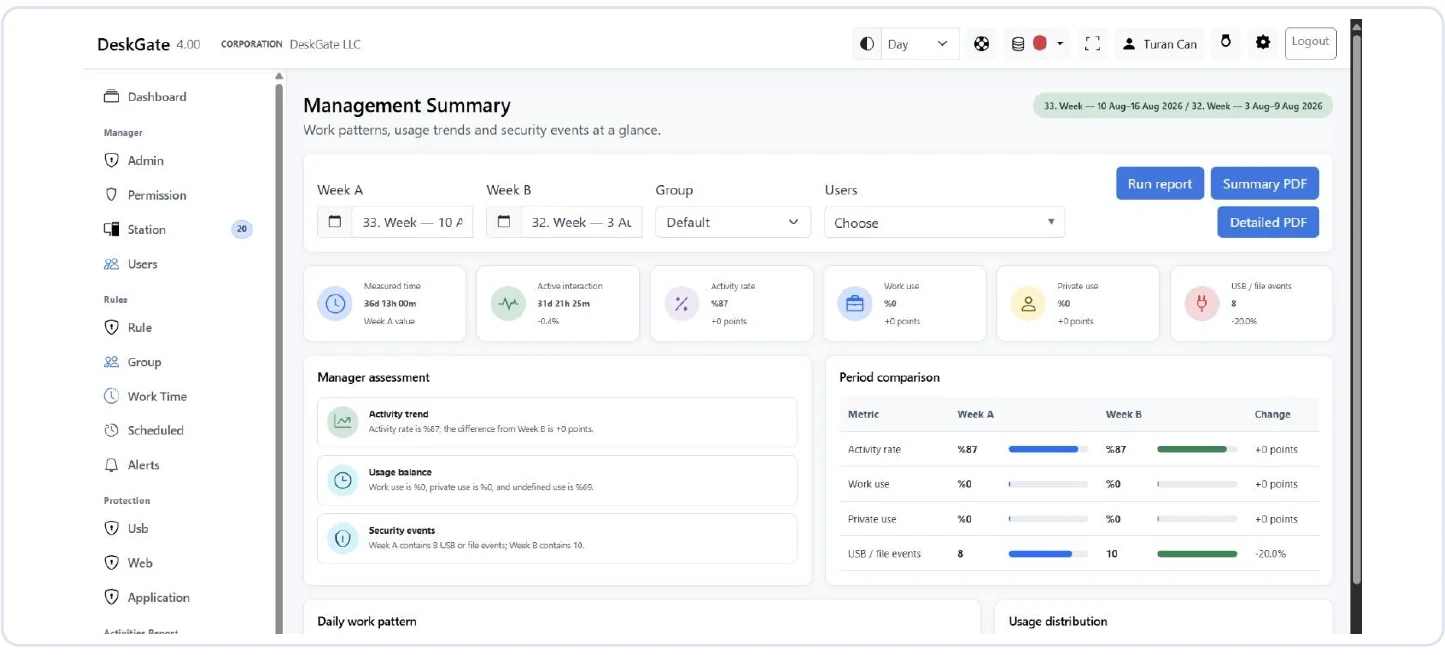
Explore daily activity reports and management summaries to understand how applications, websites and working time are used.
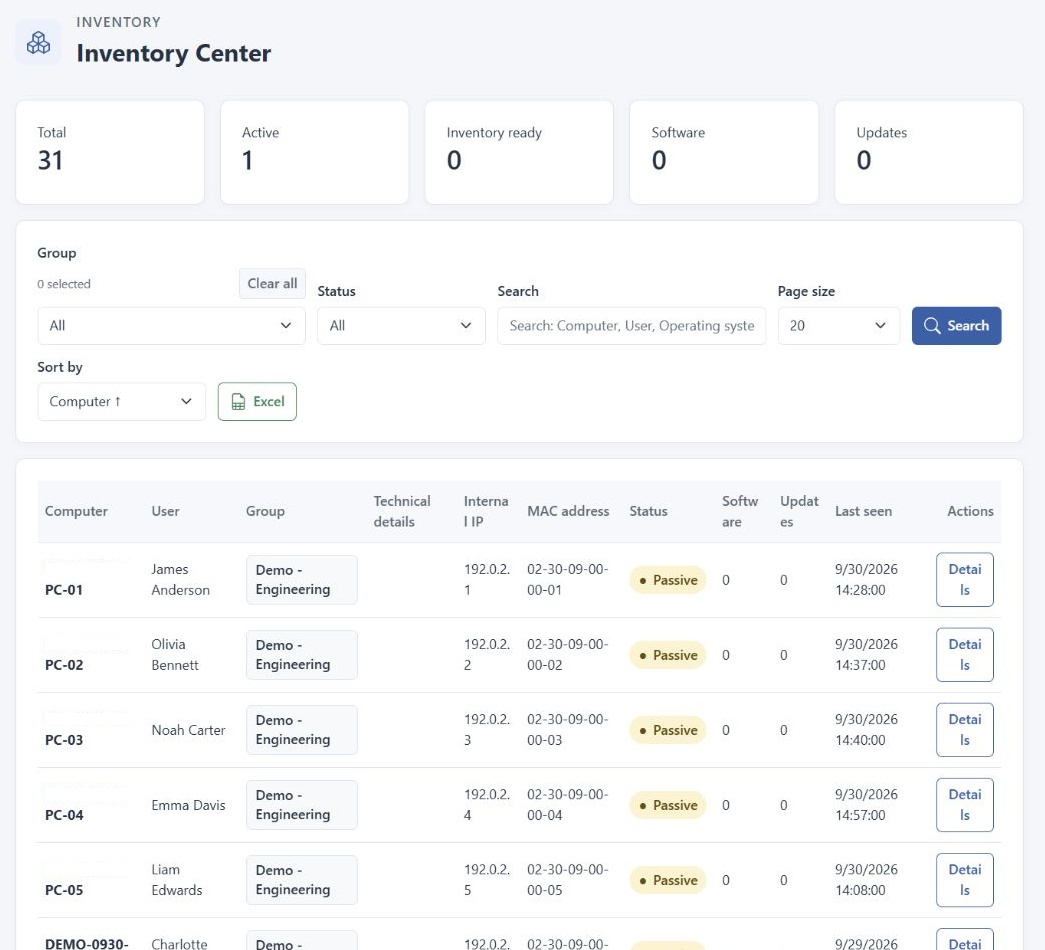
View computer hardware, installed software and device information in one place.
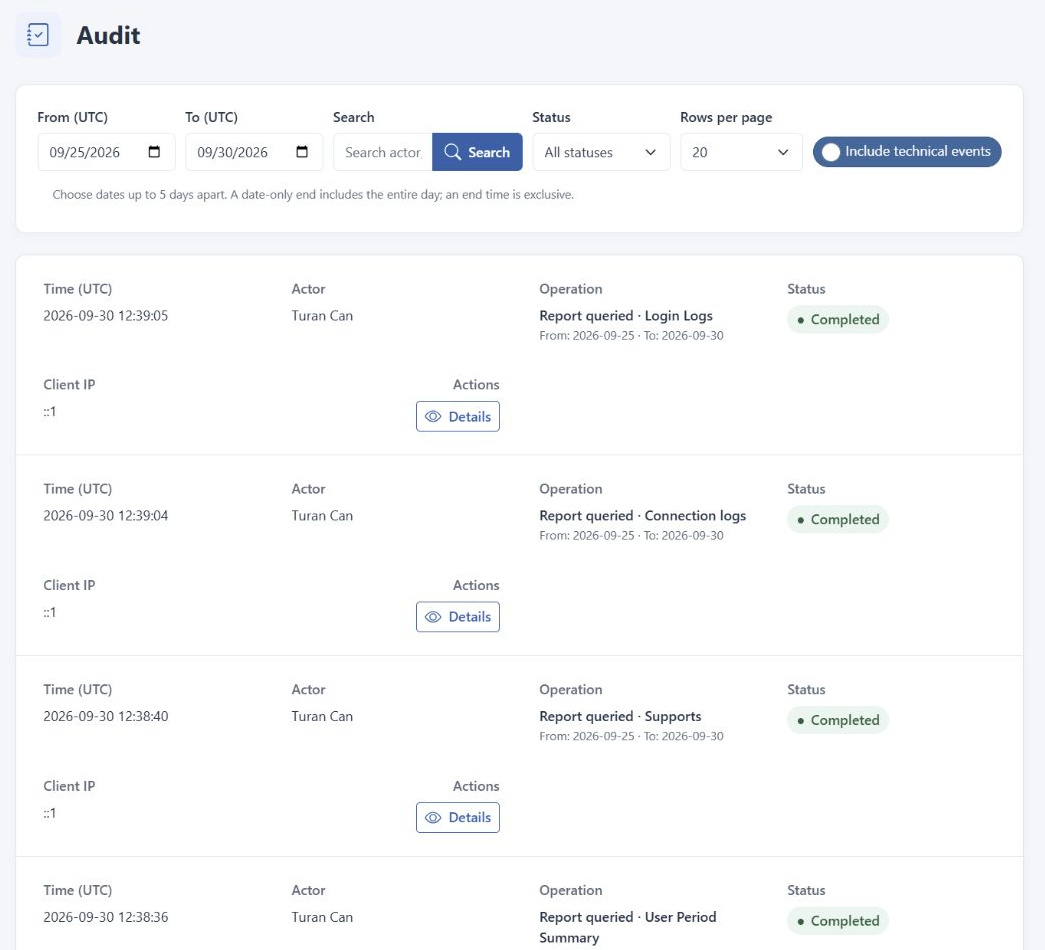
Review SIEM and audit reports, examine recorded events and administrative actions, and manage administrator permissions.
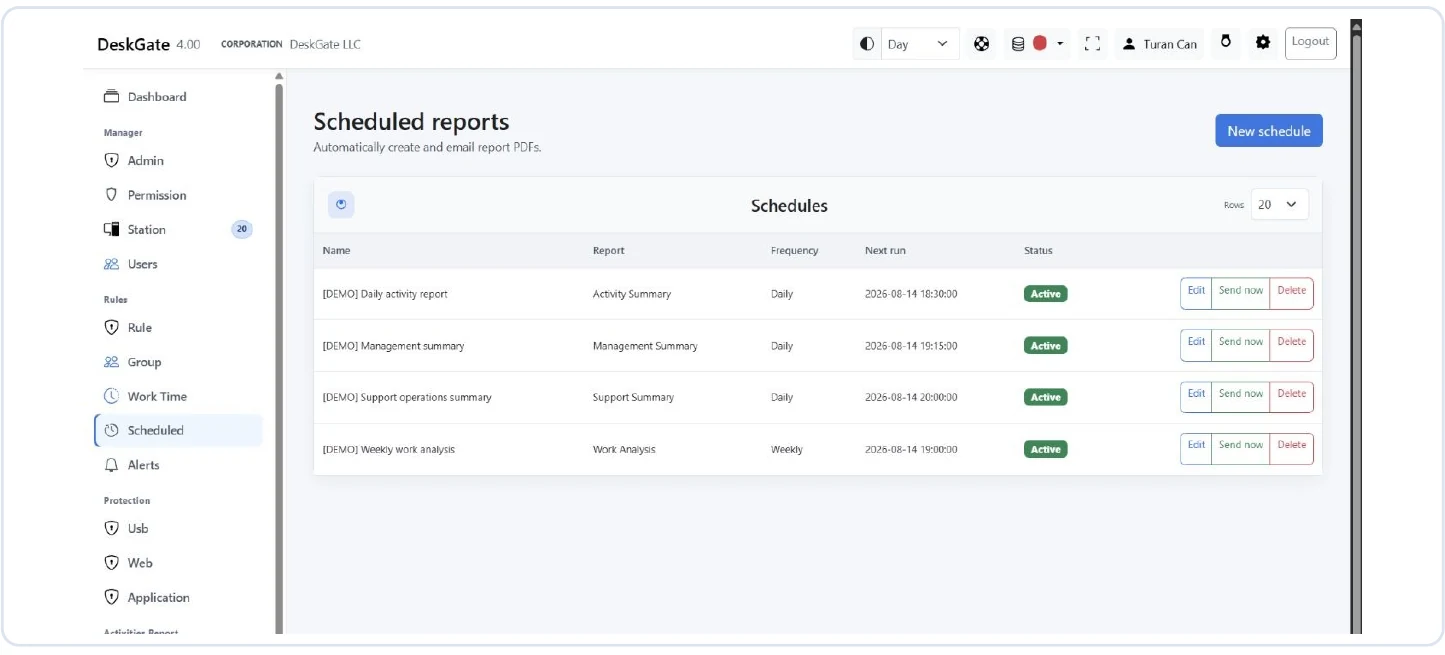
Configure report scope, recipients and delivery schedules with the required mail and runtime services.
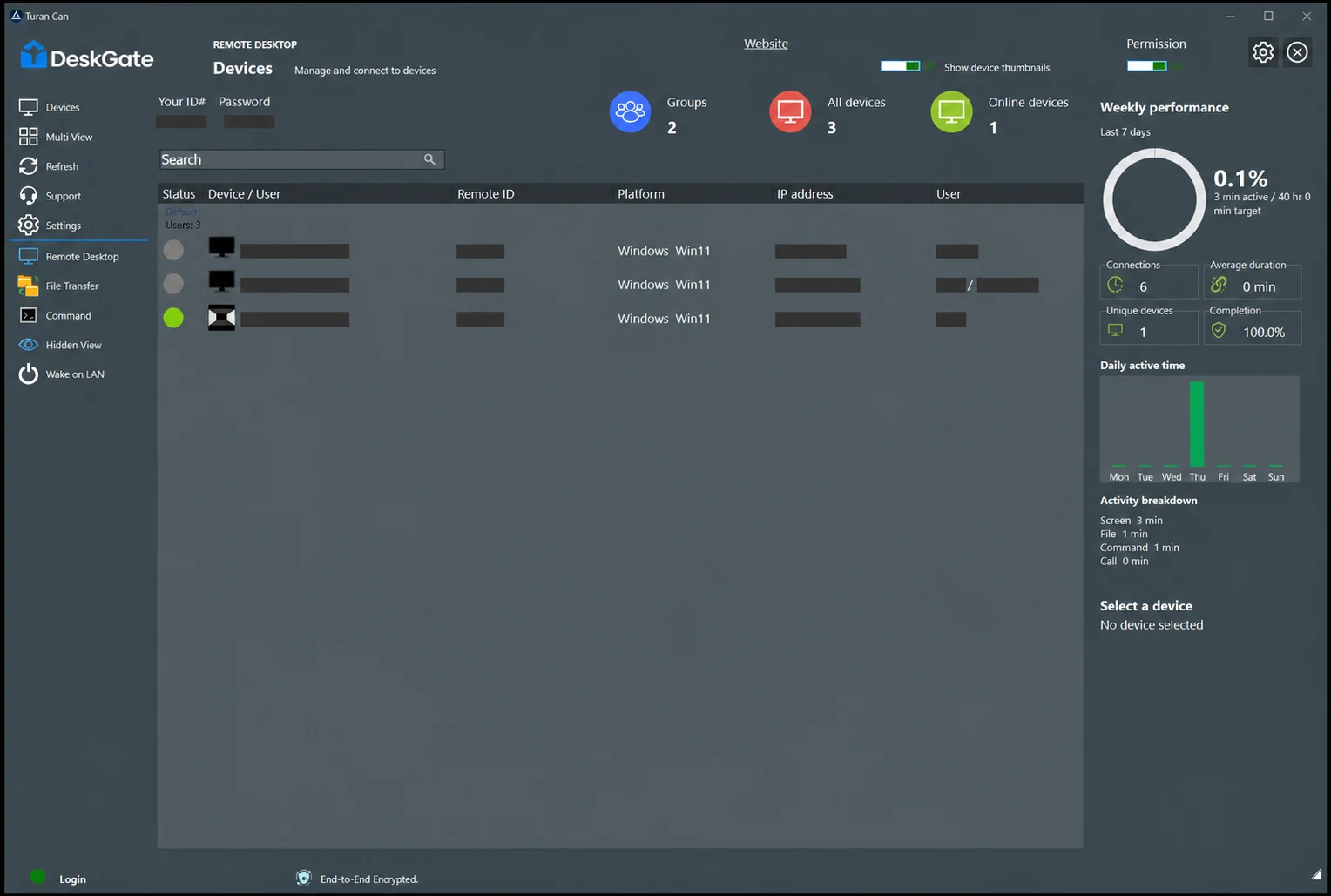
Manage stations, user profiles and device groups; open device details with their activity and support context.
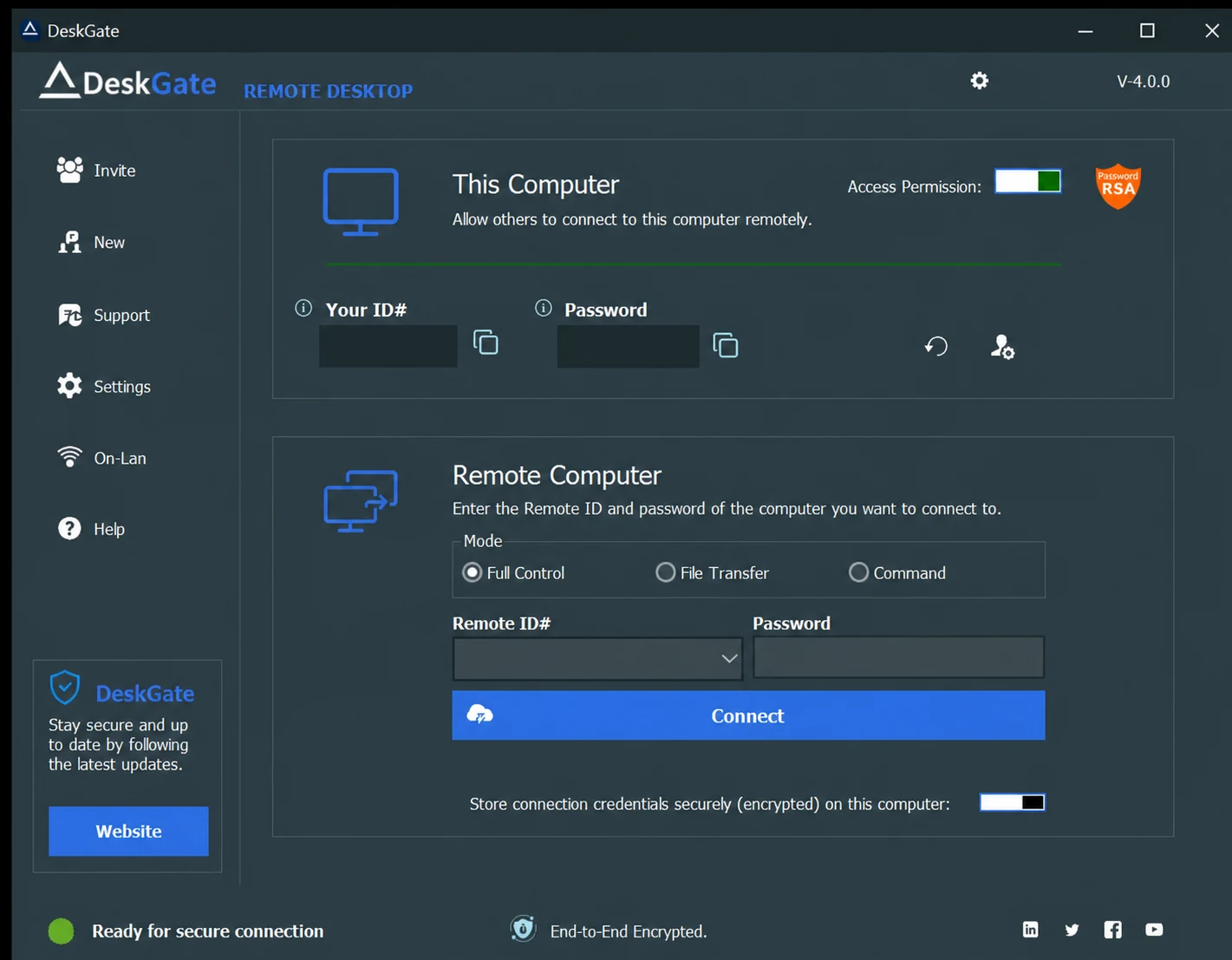
Connect to authorized Windows computers, assist users and troubleshoot technical issues remotely.
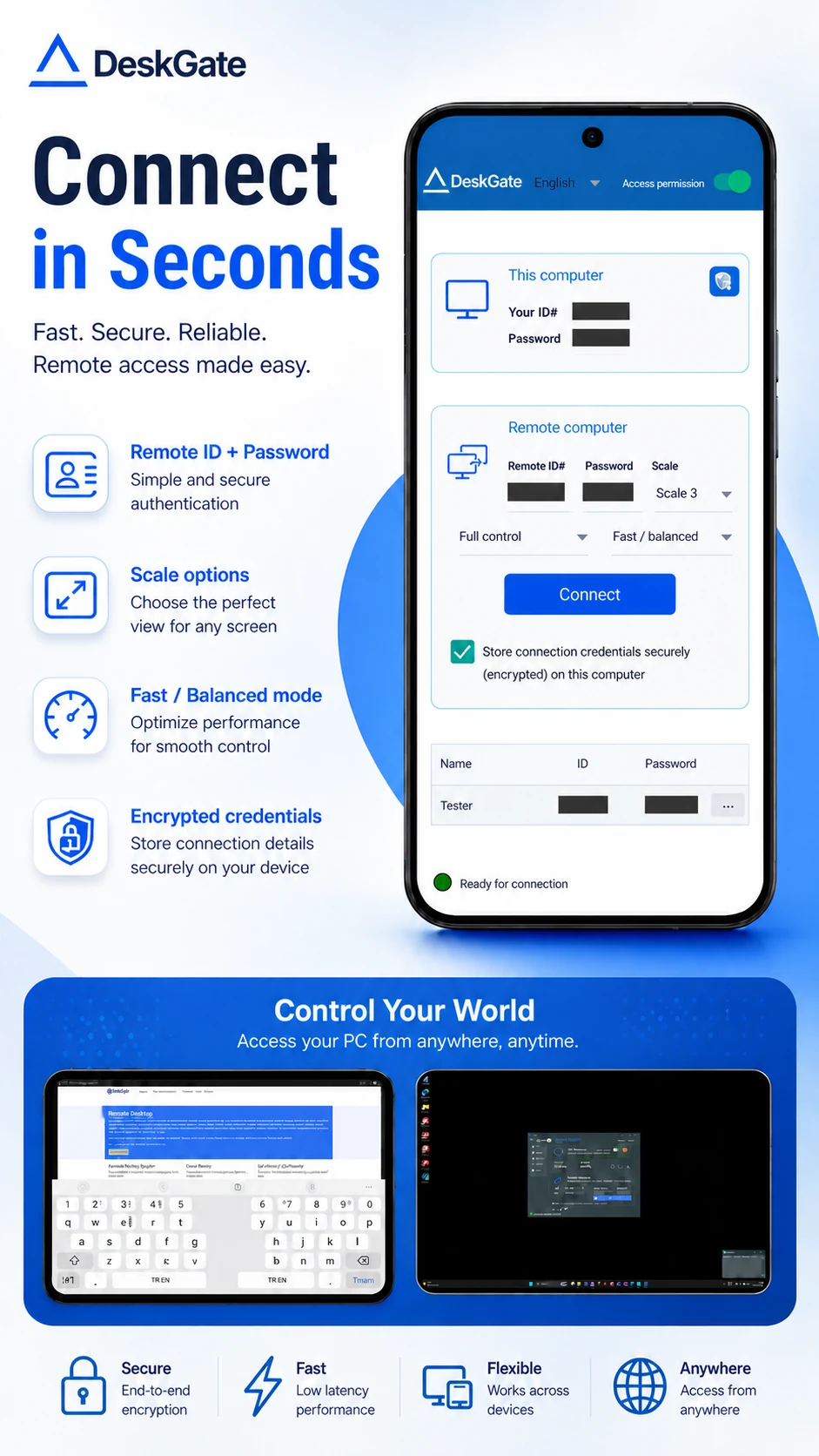
Use the GoMyid Android client for remote Windows access with touch controls, keyboard shortcuts and landscape viewing.
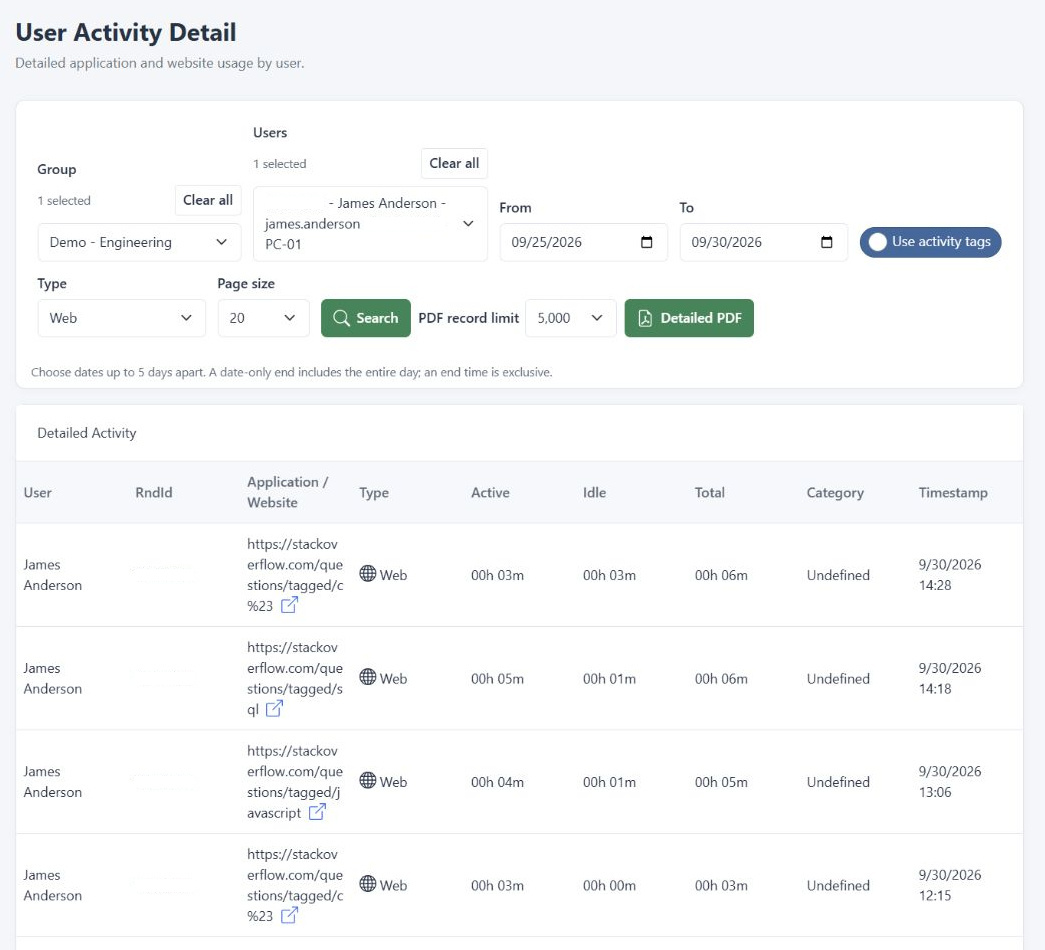
Explore daily activity reports and management summaries to understand how applications, websites and working time are used.
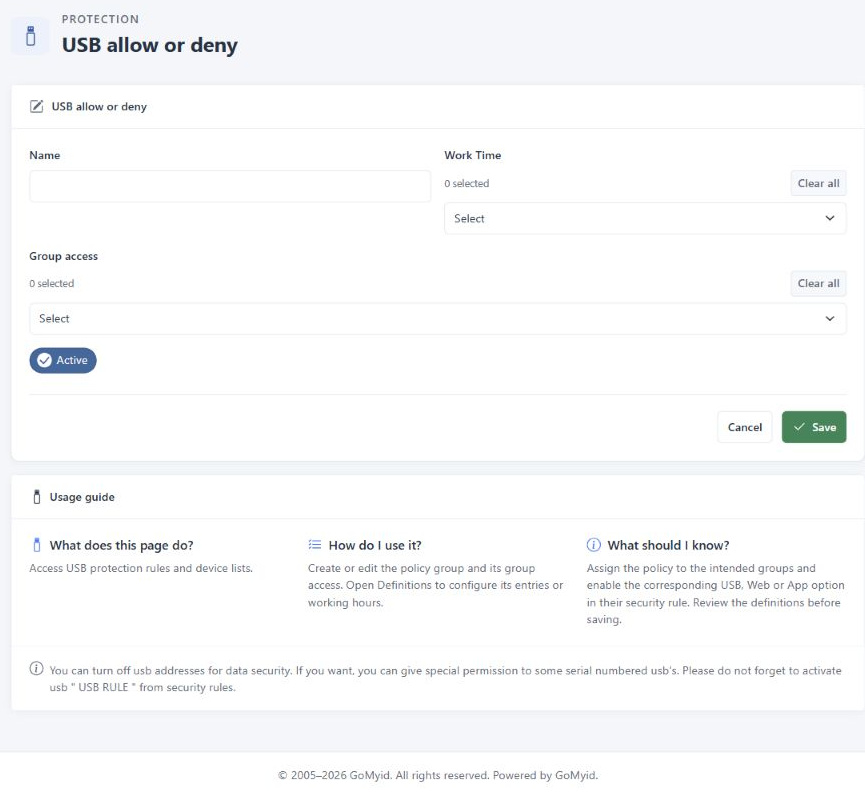
Define removable-device allow or deny policies and supported device exceptions for selected groups.
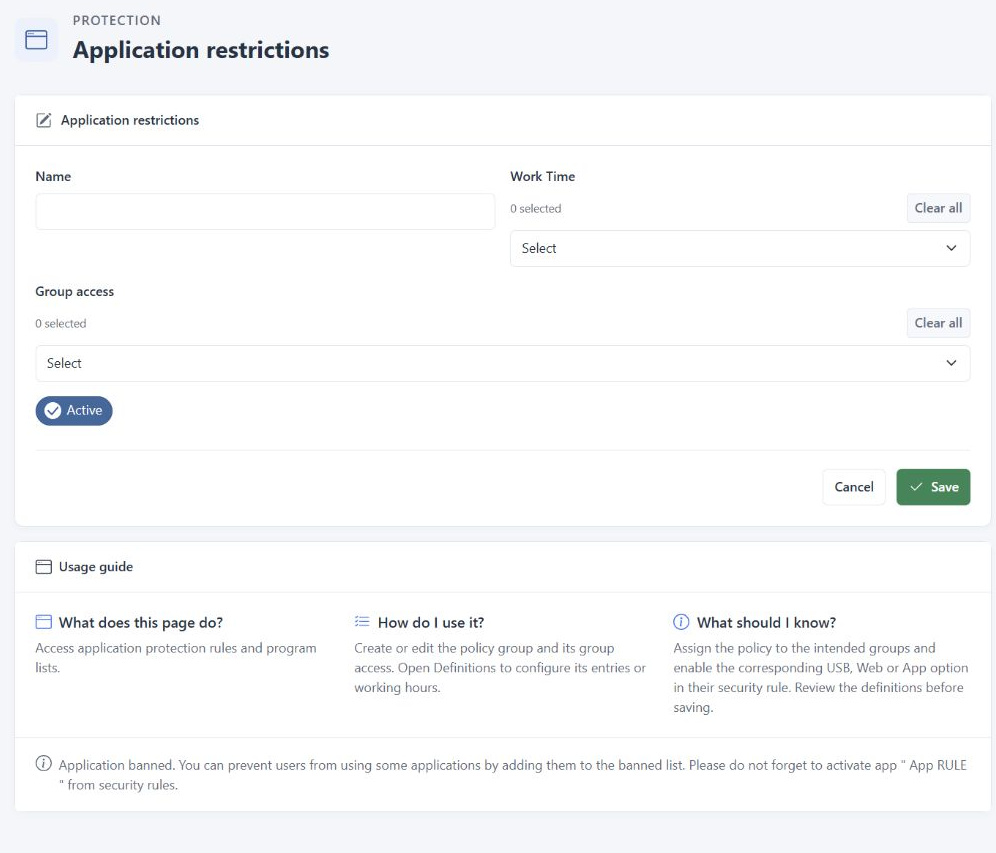
Maintain application restriction groups and executable definitions for supported clients.
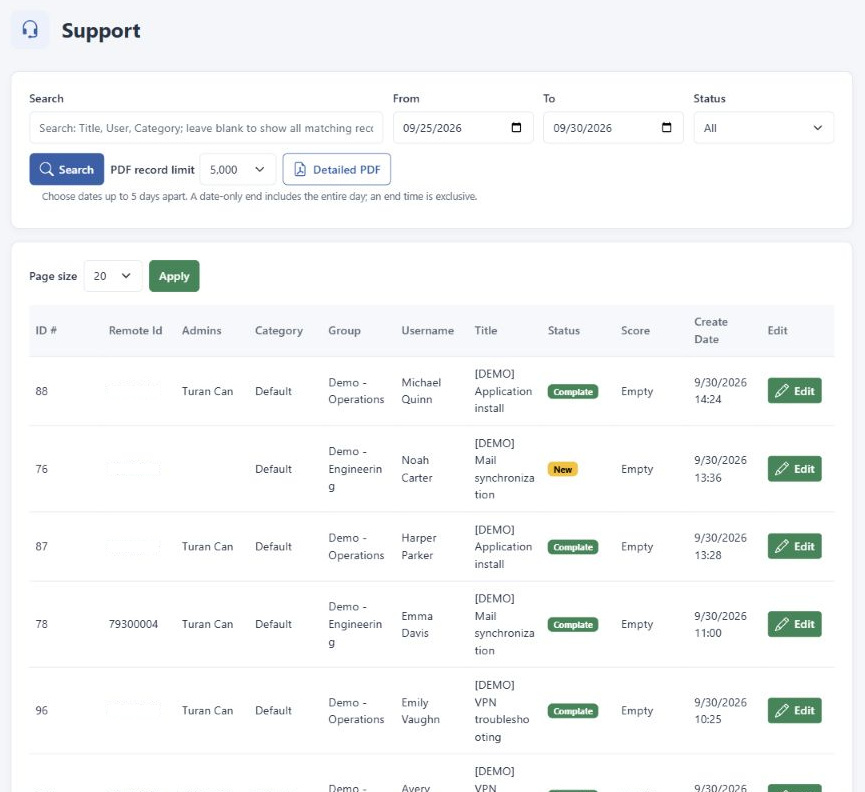
Follow support requests and related processes to keep your support work organized.
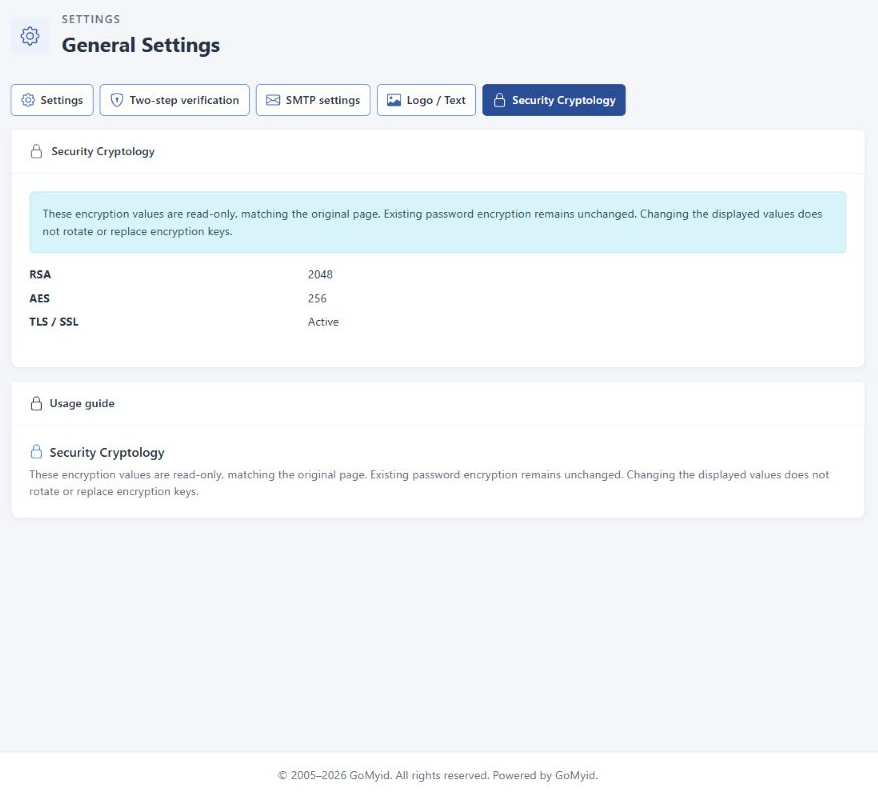
Configure root-account authenticator verification and review the security and cryptography information exposed by the platform.
Tell us what you need to monitor, manage or support. Explore the relevant capabilities in a guided demo.
MANAGEMENT AND REMOTE ACCESS
Bring device management and remote support into your team's daily workflow with DeskGate and GoMyid.
Organize devices and groups, review their status and manage remote connections from a central console.
Explore managementConnect to Windows computers for remote support, file transfers and remote commands with GoMyid.
Explore Windows accessReach your Windows computers from an Android phone or tablet when you are away from your desk.
Explore Android accessWHY DESKGATE
Keep employee data on your own infrastructure, with centralized management and controlled access.
Explore Security & Data Protection
Keep your data within your own environment.
Manage users, devices and policies in one place.
Control who can access the system and reports.
Explore the reports and controls relevant to your team.
Agree on users, devices, policies and infrastructure.
Set up your environment and begin a focused rollout.
Application and website usage, user activity patterns and selected endpoint events, according to your configuration. Review collected activity within the relevant user, group and reporting period.
Yes. DeskGate supports self-hosted deployment so your organization can manage its own infrastructure, data storage and administrator access. Our team can help you review the installation requirements.
DeskGate provides application, website and USB policy configuration for supported endpoints. Define the relevant groups, permissions and exceptions for your organization.
Plan for Windows endpoints. The self-hosted server installer requires 64-bit Windows and administrator access; server and endpoint requirements are separate. Confirm support for your exact Windows versions and selected release before deployment. Review installation prerequisites
Prepare the Windows server, SQL Server database, network connectivity and administrator permissions. Capacity depends on endpoint count, enabled features, retention and reporting workload. Start with a representative pilot before a wider rollout. See the deployment checklist
Identify your endpoint count, required features and deployment model, then review the available packages. For combined products or a custom rollout, share your requirements with our team. View packages and pricing or request a tailored proposal
Yes. Use your demo request to describe your environment, rollout plans and installation questions. Ask our team to confirm the setup assistance and support scope available for your chosen package before proceeding. Discuss your deployment
Discover how activity reporting and policy controls fit your organization.
Share your requirements so our team can discuss the relevant reports, controls and deployment options with you.